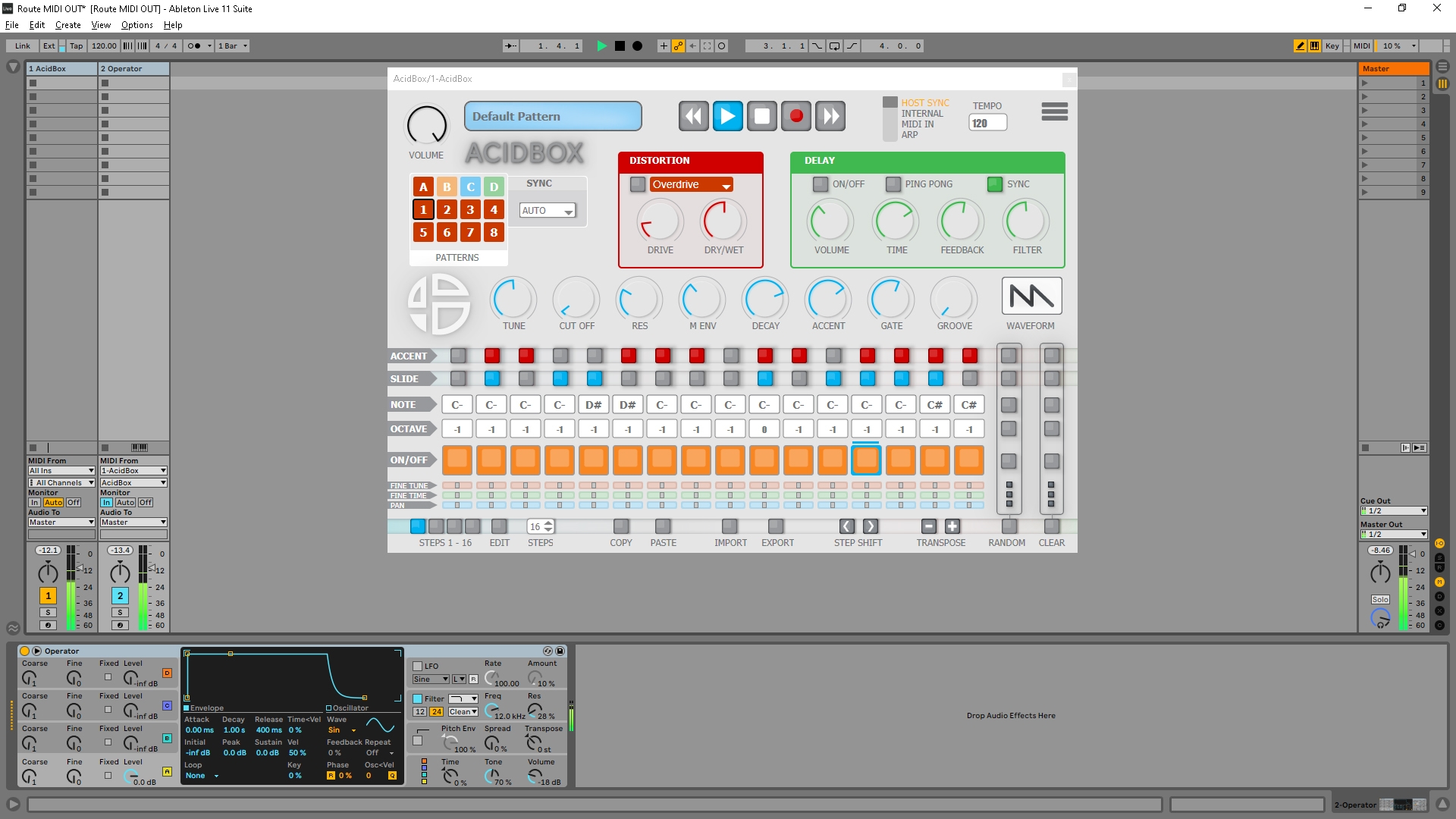
AcidBox MIDI layering with Operator.
The MIDI notes from the AcidBox sequencer will be sent to a virtual instrument or a hardware external instrument.
First Open the I/O panel
↓
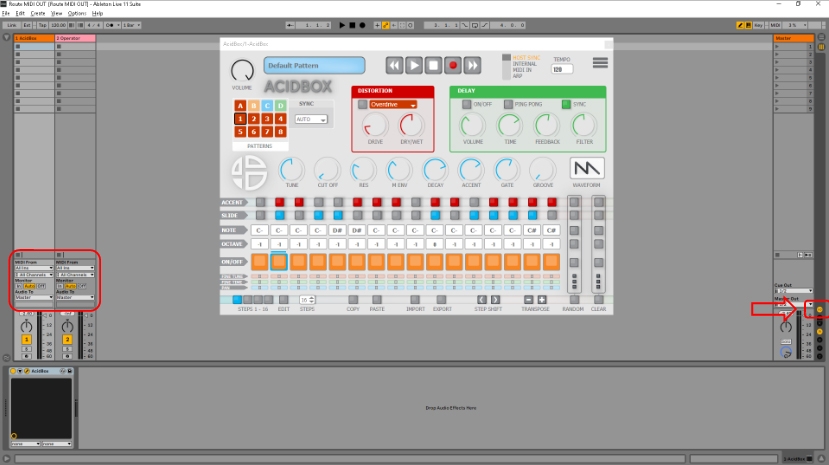
Select “MIDI From” AcidBox on your selected virtual instrument (here Operator)
↓
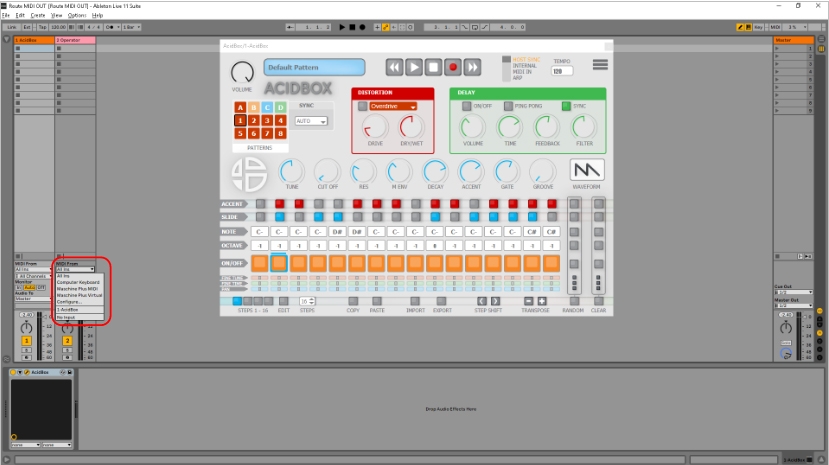
On the second drop down list below the “MIDI from” drop down list you selected above, select AcidBox channel.
↓
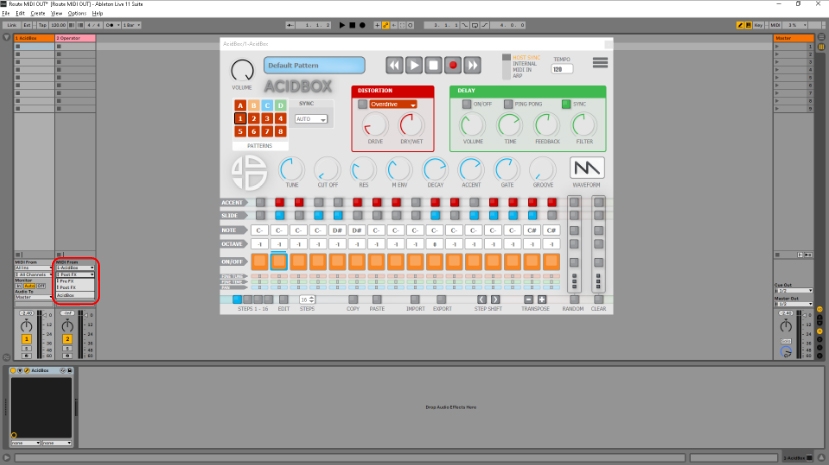
On the “MIDI Monitor” click the “In” button to receive the MIDI notes from AcidBox in real time.
↓
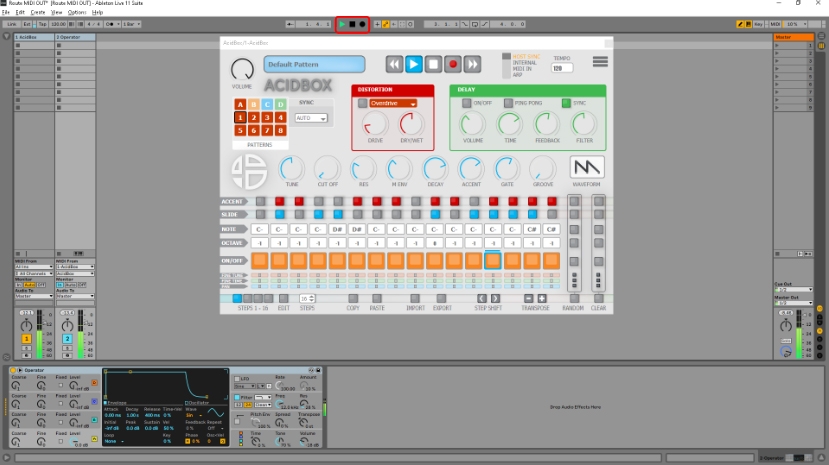
Press “space bar” or “play button”, the MIDI out sent by AcidBox is now received by the virtual instrument ( Operator ).
You can also apply this method to send the MIDI from AcidBox to external hardware instruments.
↓
Get more information about I/O in Ableton here: https://www.ableton.com/en/manual/routing-and-i-o/